Personalised job alerts
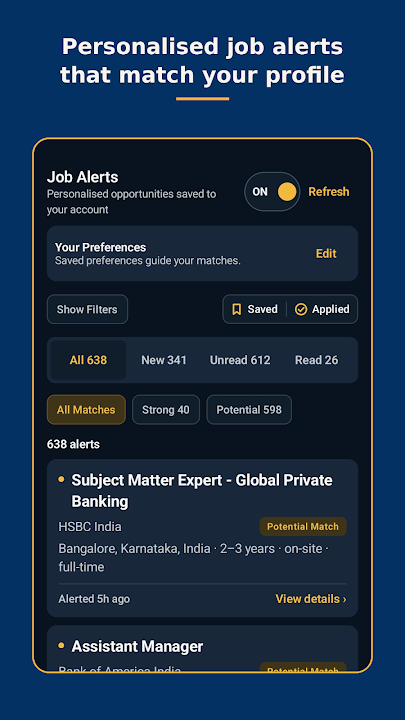
Save your country, cities, qualifications and experience once. Every new vacancy is checked against them, and the ones that fit appear in your Alerts inbox.

Get personalised CA, finance, accounting, audit and tax job alerts on your Android phone. The app uses the same account as casamaaj.com, checks every new vacancy against your job preferences and tells you as soon as a suitable role opens, with the employer's official application link.

Available for Android phones. On an iPhone, use the same personalised alerts on casamaaj.com.
 On a computer? Scan this with your phone camera to install.
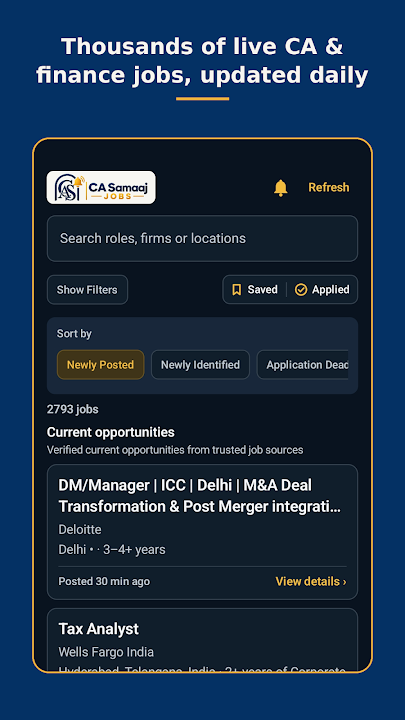
The app is built for one job: making sure the right finance opening reaches you before it closes. Everything you set up on casamaaj.com works here too, and anything you change in the app shows up on the website.
Save your country, cities, qualifications and experience once. Every new vacancy is checked against them, and the ones that fit appear in your Alerts inbox.
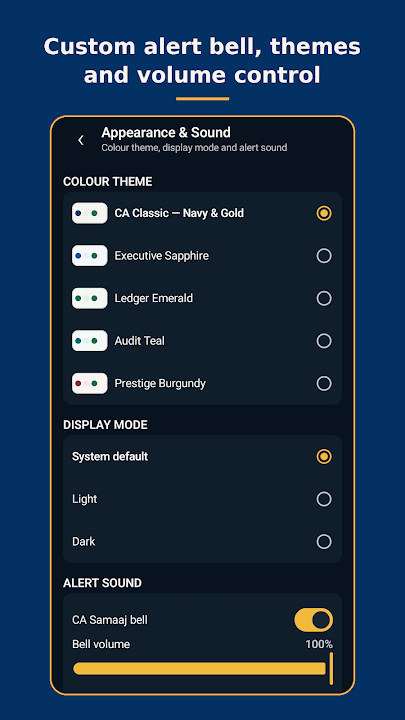
New matches arrive as a phone notification with the CA Samaaj bell sound. You can turn the bell on or off and set its volume inside the app.
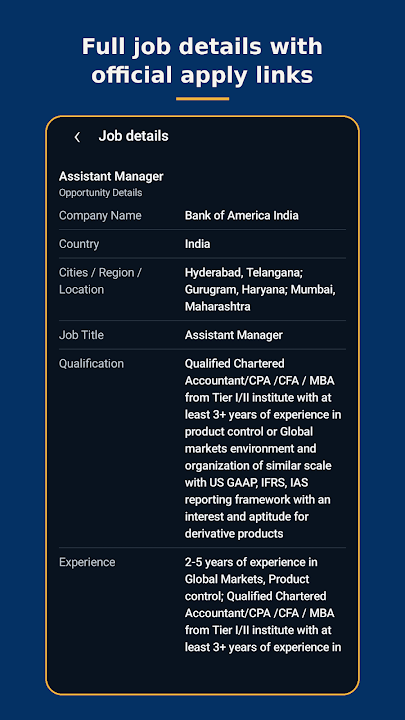
Every listing points to the employer's own careers page, so you always apply at the source. Roles that close are taken off the active list.
Search by role, company or city and narrow the list by qualification, experience, location and more, the same way you would on the website.
Save jobs you like and mark the ones you applied to. The list stays in sync with Saved / Applied Jobs on casamaaj.com, so you can pick up on a laptop later.
Pick a colour theme such as Classic Navy and Gold or Ledger Emerald, and switch between light, dark or your phone's own setting.
Each alert is marked Strong or Potential, so you know how closely a role fits before you open it. The match compares the job's location, qualification and experience with what you saved in your preferences. If you allow nearby cities, roles close to your chosen cities are included as well.
Everything the employer stated fits your profile: the city, the qualification and the experience they ask for.
Nothing rules you out, but something is not stated by the employer or is a small stretch, for example a related degree or experience that is close to the range asked for.
Every alert also carries a short reason in plain words, for example: "Job in Gurugram. You have ICAI Chartered Accountant. You have 4 years; the job asks for 3-5 years." That way you can decide in seconds whether a role is worth opening.
Alerts are meant to be useful, not noisy. This is how they are sent:
The app is for Chartered Accountants and CA freshers, CA Inter and articleship students, CMA, CS, ACCA, CFA and US CPA professionals, MBA Finance graduates, and B.Com and M.Com graduates. It covers roles in accounting, audit, taxation, GST, FP&A, record to report, accounts payable, treasury, banking, risk and compliance, posted on the official career pages of Big 4 firms, global banks, consulting firms and leading Indian and multinational companies.
Prefer to browse first? These pages show the current openings on the website:
Both use one account, so you never have to choose. The website is handy on a laptop or an iPhone, and it is where you can read career articles and tax and regulatory news. The app is the better choice when you want new matches to reach you straight away on an Android phone.
The app uses your CA Samaaj account details and job preferences to find matches, and a notification token from your phone to deliver alerts. Data is encrypted in transit. You can ask for your account and data to be deleted at any time from the account deletion page. The Privacy Policy explains everything in detail.
Yes. The app is free to download from Google Play, and all job alert features are currently free for every member. The app may show ads.
Not yet. The app is available for Android phones through Google Play. On an iPhone you can use the same personalised job alerts on casamaaj.com in your browser.
No. Sign in to the app with the same email and password, or with Google if that is how you joined. Your job preferences, alerts and saved jobs carry over automatically.
Check three things: your job preferences are filled in (country, city, qualification and experience), alerts are switched on in those preferences, and notifications are allowed for the app in your phone settings. New vacancies are matched every half hour, so the first alerts can take a little while after you save your preferences.
A Strong match means everything the employer stated fits your profile. A Potential match means nothing rules you out, but something is not stated by the employer or is a small stretch, such as a related degree or slightly different experience.
At most four alert notifications a day. Several new matches are combined into one notification, and nothing is sent between 10 pm and 8 am IST. Matches that come in overnight arrive together in the morning.
No. Each job links to the employer's official careers page or application process, and you apply there directly.
Open casamaaj.com/delete-account and follow the steps, or write to connect@casamaaj.com from your registered email address.
Install CA Samaaj Jobs, sign in, save your preferences once, and new matching vacancies will come to you.
Subscribe to get updates on the latest Job Openings, News and Articles.